
Interactive Finish Selection: Letting Buyers Choose Materials in 3D

Lukas Berezowiec · CEO of NoTriangle Studio ·June 5, 2026 · 6 minutes
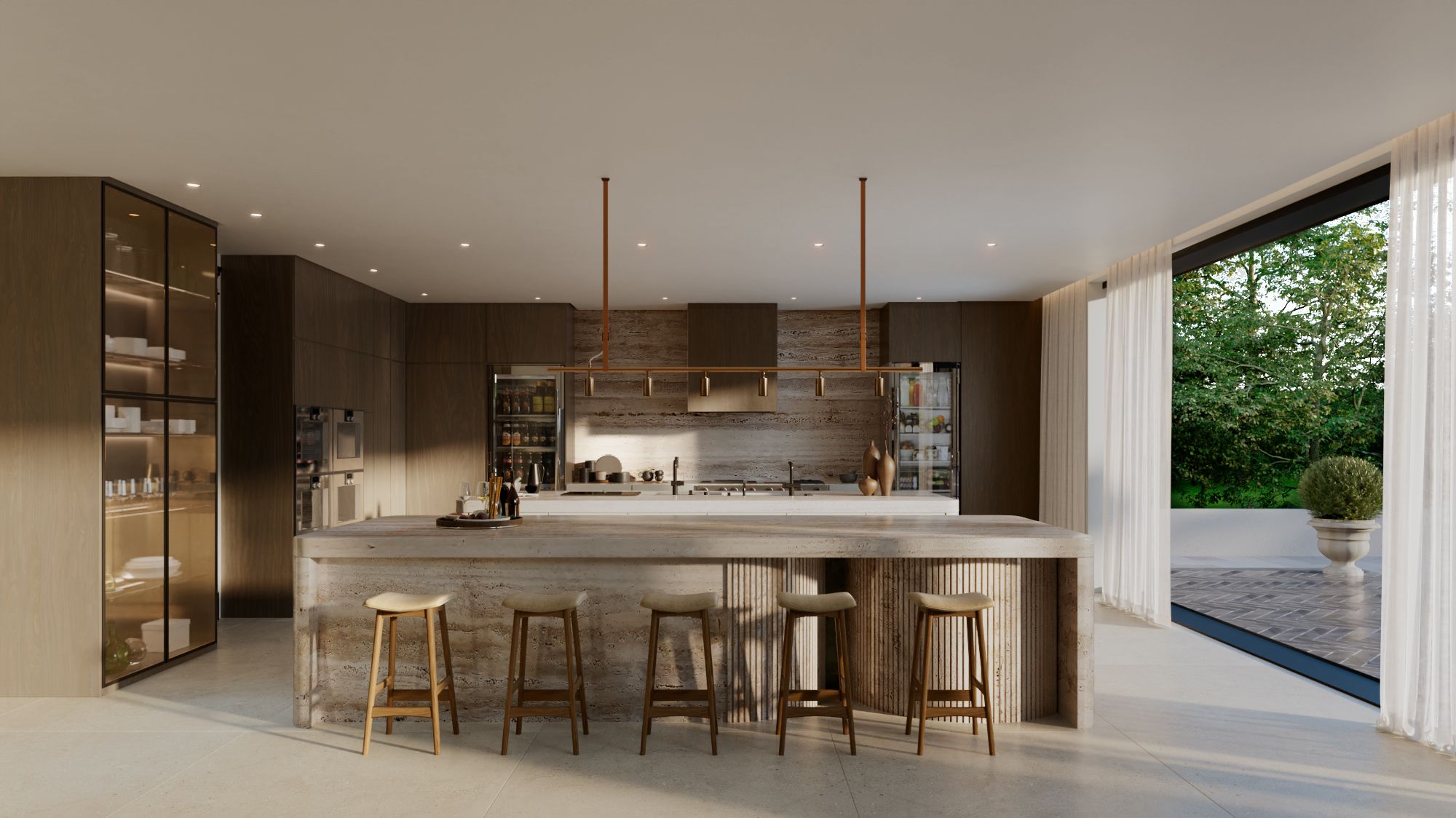
A single rendering shows one version of a room: one floor, one cabinet colour, one countertop. But buyers rarely want the show version. They want to picture their version, the oak floor instead of the walnut, the matte cabinet instead of the gloss. Interactive finish selection lets them do exactly that, switching options and seeing the space respond.
There are two ways to build it, and the right one depends on the project. Both rest on the same foundation: accurate 3D of your actual design, not a generic template.
The Simple Version: Pre-Rendered Scheme Variations
The most straightforward approach is a set of pre-rendered variations of each space. We render the room once, then produce versions that change the finishes, the cabinetry, the flooring, or the colour palette, so buyers and stakeholders can compare schemes side by side.
This is efficient because the model and lighting are built once and every variation draws from them. It works well when there are a handful of defined schemes, a light option and a dark option, say, rather than endless combinations. It also slots neatly into a brochure, a listing, or a sales-centre screen without any special technology.
The Advanced Version: a Real-Time Configurator
A fully real-time configurator lets a viewer change selections on the fly and see the space update immediately, flooring, cabinet fronts, countertops, and more, in any combination. It is the more advanced build, scoped per project, because it requires the scene to be prepared for live interaction rather than rendered as fixed images.
It is worth it when the number of combinations is large, when buyers genuinely customize their unit, or when the configurator becomes part of the sales experience itself. For many projects the pre-rendered set does the job at a fraction of the effort, which is a conversation we have before committing to either.
Why It Has to Be Built on the Real Design
Whichever version you choose, it is built on accurate 3D of your actual design, not a stock room dropped in from a template. That is what keeps the options honest: when a buyer picks a finish, they are seeing it in the real space, at the real proportions, under the real lighting, which is the whole point of letting them choose.
It also means the configurator can be built from the same model as your renderings and tours, so a project can extend from stills into finish selection without starting over. Finish options can live inside a virtual tour as well, so a buyer moves through the space and changes materials as they go.
Where Finish Selection Earns Its Place
Finish selection adds the most where choice is part of the offer. That includes pre-sale condos and homes where buyers customize their unit, developments with defined upgrade packages, and sales centres where letting a buyer build their own version turns a passive viewing into an active decision.
It is not needed on every project. Where there is one fixed specification, a strong set of renderings is enough. As with everything else, we work out which version fits, or whether you need it at all, on the discovery call before scoping it. You can see how it fits alongside tours and other interactive work on our interactive solutions page.
FAQs
Can buyers switch finishes themselves? Yes. Within an interactive tour or configurator, a buyer can move between flooring, cabinet, and countertop options and see the space respond.
What is the difference between pre-rendered variations and a configurator? Pre-rendered variations are a fixed set of images of each scheme. A real-time configurator changes selections live, in any combination, and is a more advanced build scoped per project.
Can you show the same space in several colour schemes? Yes. We render the space once and produce variations that change finishes, cabinetry, flooring, or palette so options can be compared side by side.
Is it built on a generic template? No. Both versions are built on accurate 3D of your actual design, so every option is shown in the real space at the real proportions and lighting.
Does every project need a configurator? No. Where there is one fixed specification, a strong set of renderings is enough. Finish selection adds the most where buyers customize.